Gopher Deals, made simple.
This is your step-by-step guide to putting your best offer in front of the neighborhood — on the Deals site and across every Gopher app. You create the deal; we get it seen. You keep the customer relationship, your pricing, and your profit.
See your audience before you sign up
On the Deals page, type your business address and we'll show you the neighbors around you on a live map — real customers and local Gopher workers, with the total eyeballs on your deal. Drag the radius slider and the counts update live.
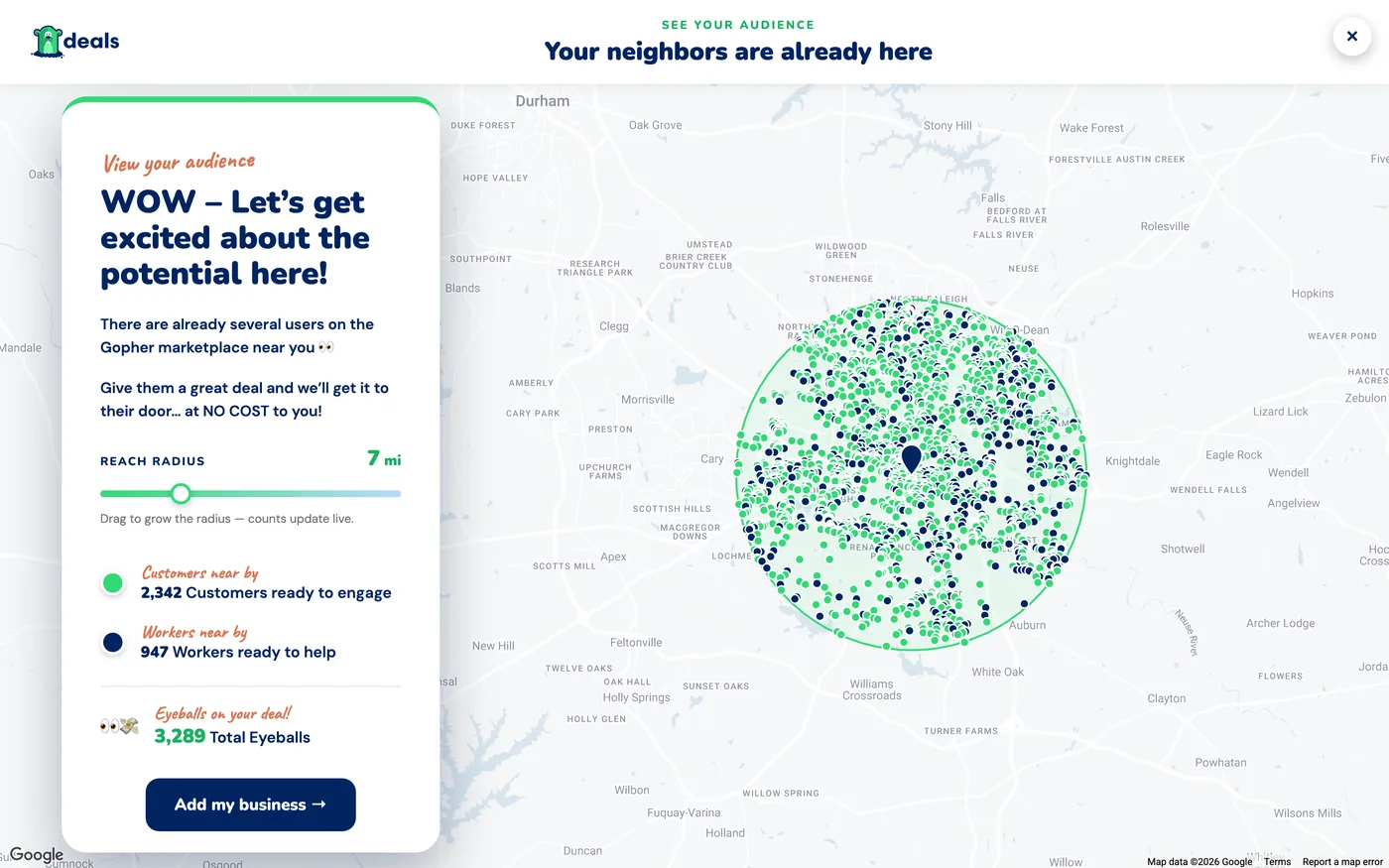
Your neighbors are already here — green dots are customers, navy dots are workers, and the panel totals the eyeballs your deal can reach.
Where your deal shows up
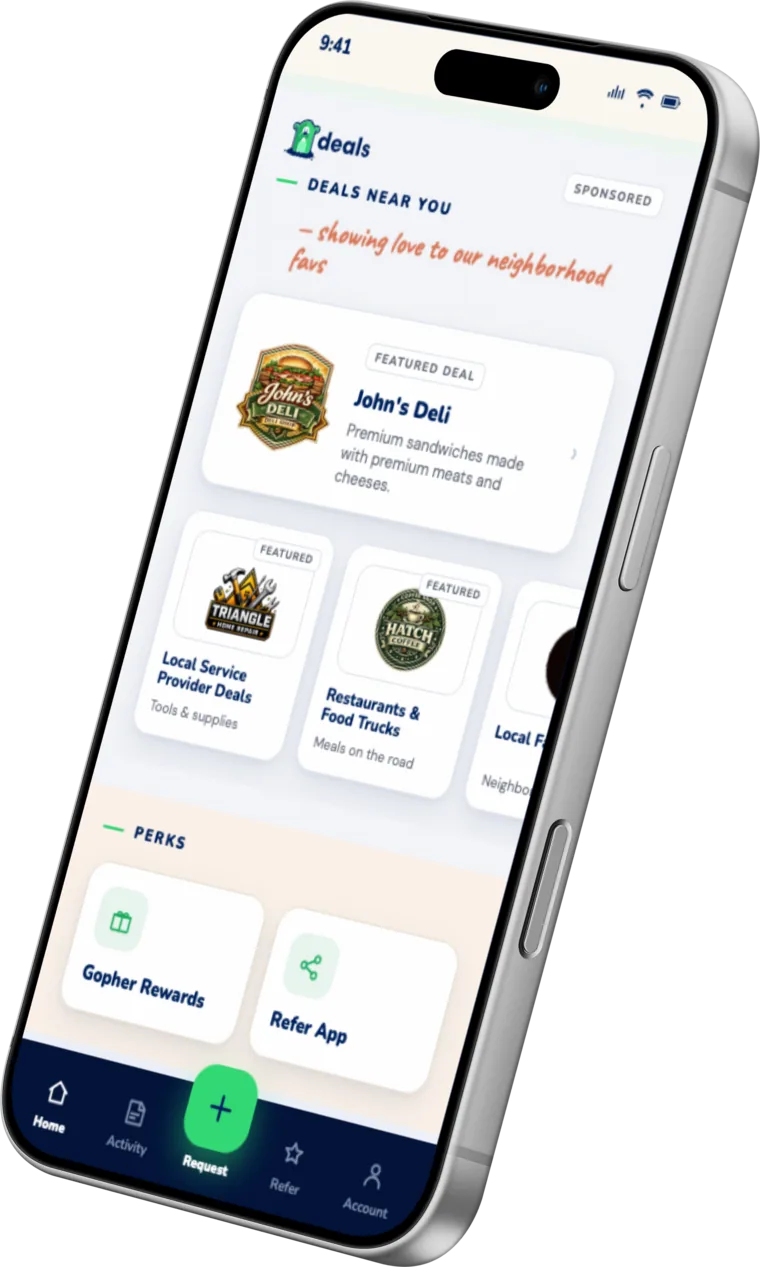
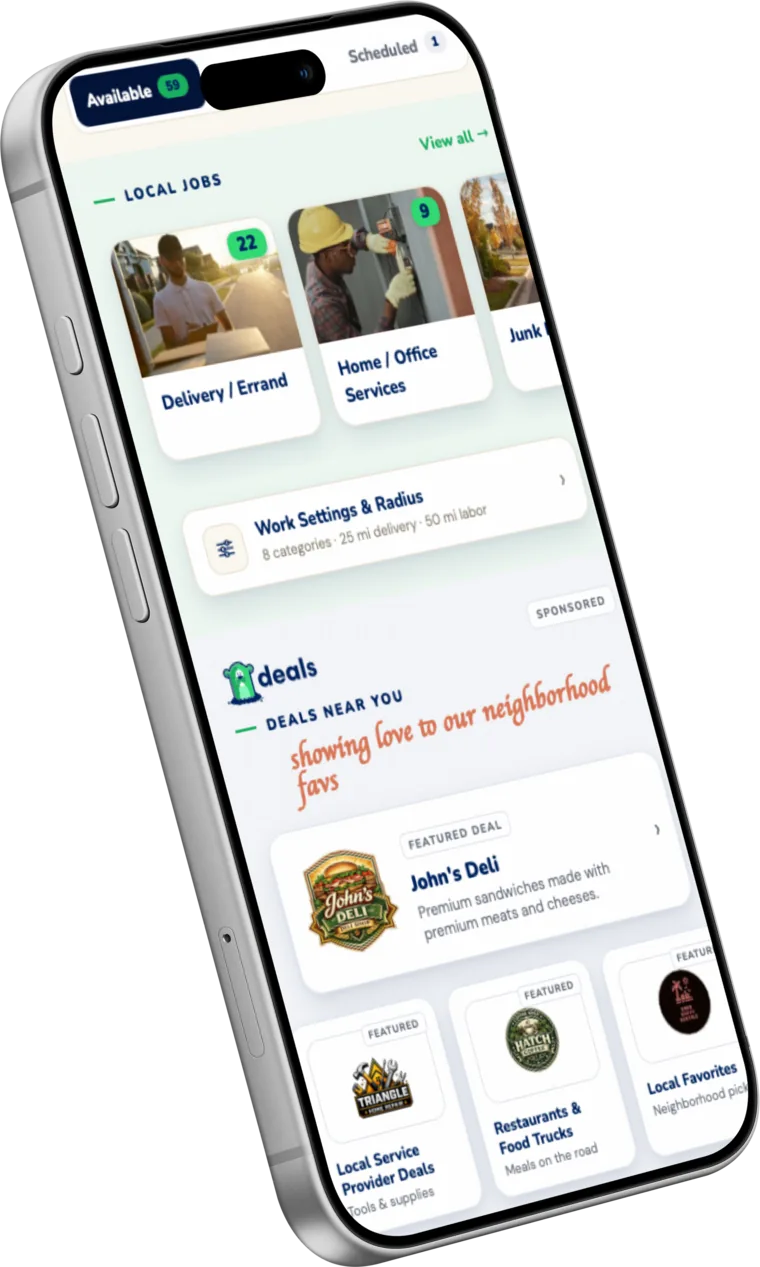
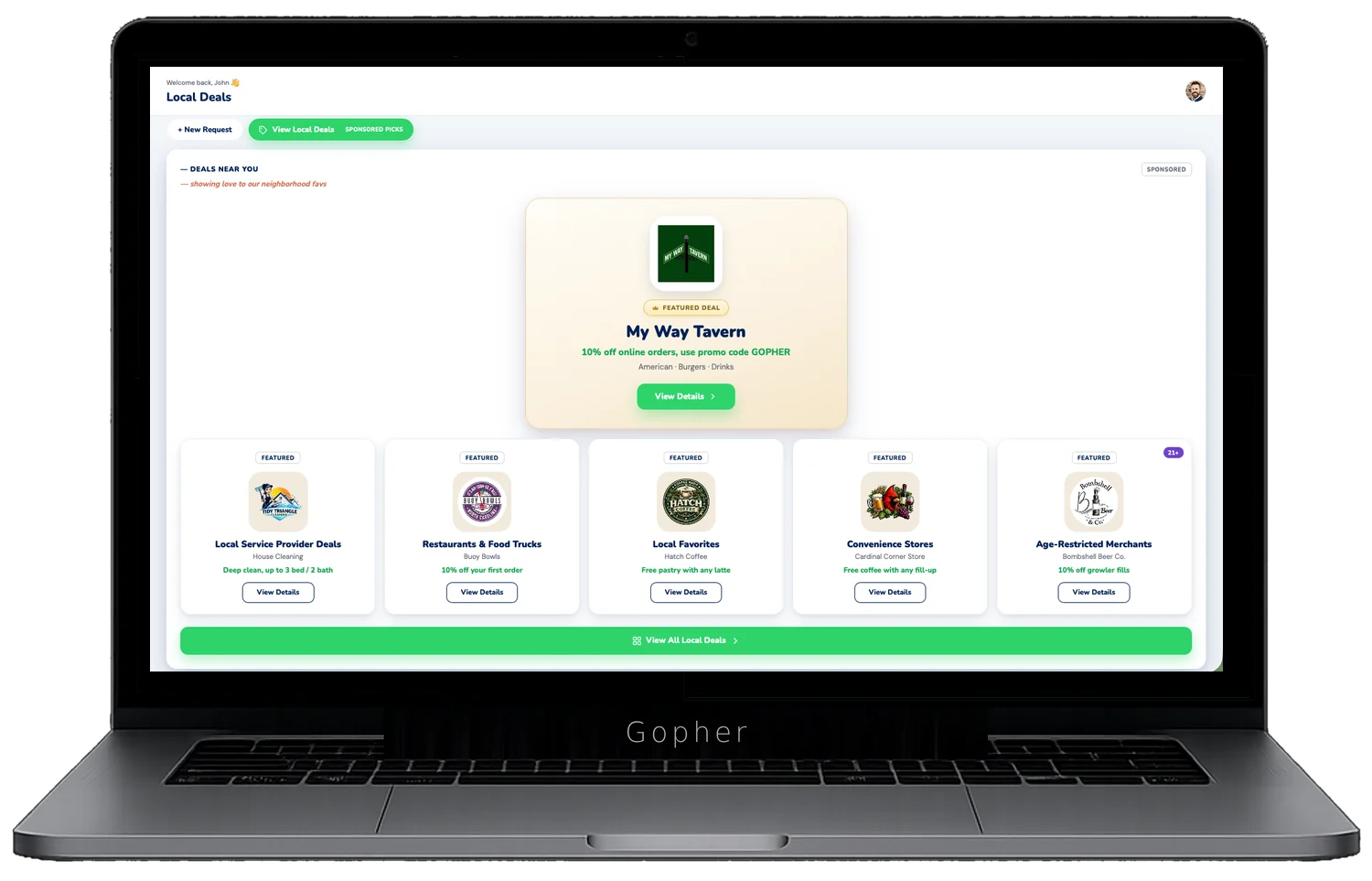
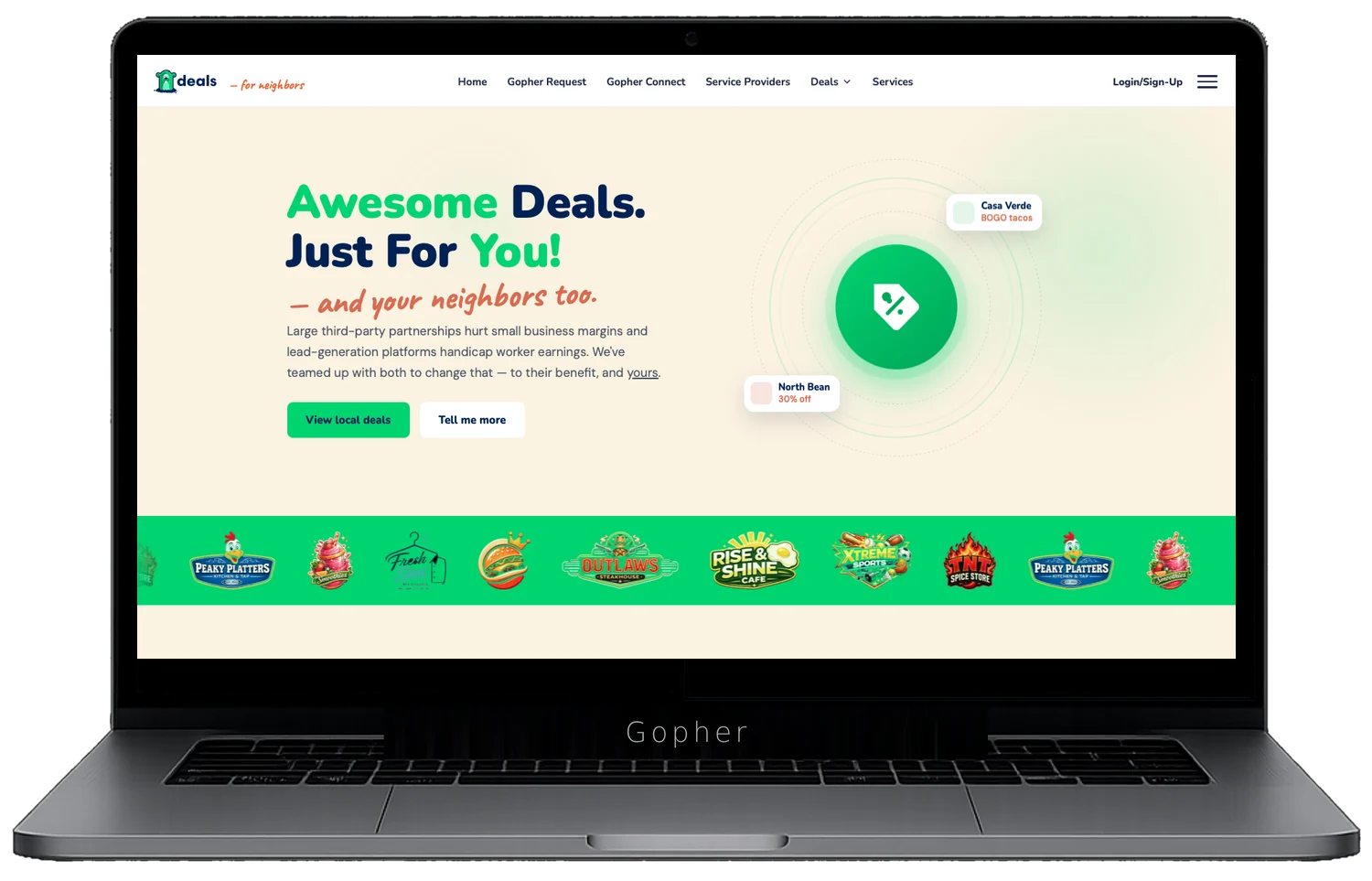
One deal, four stages. Your card appears on the Deals site and inside the Gopher apps that neighbors and workers already use every day.
Get listed — it's free
Registration is one form with three parts: your business, your first deal, and the owner details that become your Gopher login. Hit I'm a merchant on the Deals page and you'll see this:
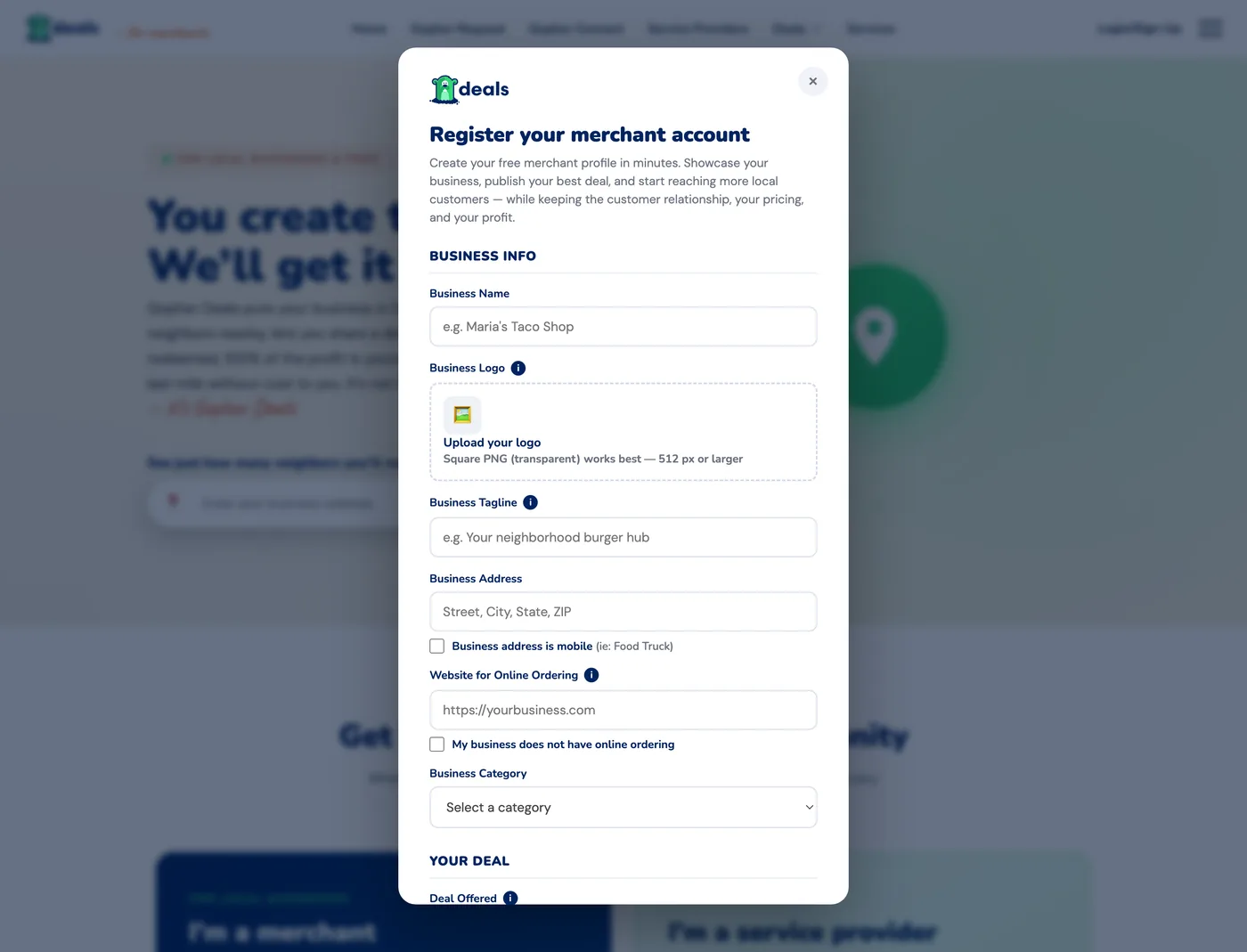
The registration form — business info first, your deal second, your owner details last. A few minutes, start to finish.
- Business info. Name, logo (square transparent PNG works best), tagline, address, and your category. Food truck? Tick business address is mobile. Your logo shows in the live preview straight away; we’ll collect the file itself when we set up your listing.
- Online ordering. Drop in the website where customers order. No online ordering? Check the box and we'll follow up so customers still know how to order from you.
- Your deal. The headline customers tap on — keep it short, and make it trackable (a code like GOPHER makes redemptions easy to count).
- Business owner verification. This is the standard Personal Info for every Gopher account — it sets up your owner login, so you use the same details to sign in afterwards. Name, date of birth, mobile, email and address. You’ll add a profile photo the first time you sign in.
Verifying it’s you — start with your mobile
Registering creates a real Gopher account, so we confirm how to reach you. Your mobile is the only step everyone does — what happens after it depends on whether you already have an account, and we work that out for you.
- Your mobile. Tap Verify beside the phone field and we’ll text you a 6-digit code. Type it in, tap Confirm, and the field switches to ✓ Phone verified.
- Your email — only if you’re new to Gopher. A Verify button sits beside the email field, exactly like the phone one. Tap it, we’ll email a 6-digit code, enter it and tap Confirm for ✓ Email verified. That button turns into Resend if the code doesn’t arrive.
Already have a Gopher account? The email step disappears — you’ll see ✓ Email verified straight away, because your address was confirmed when you signed up. One code, and you’re done.
Sign in to your portal
Deals is passwordless — nothing to remember. Choose Merchant or Service Provider, then sign in with a one-time code.
- Open the Deals sign-in and pick Email or SMS.
- Enter the email or mobile number on your account and tap Send code.
- Type the 6-digit code and tap Sign in. Tick Remember me to skip this next time.
The dashboard
Everything you need on one screen: how your deals are performing and where to go next. The sidebar on the left is the whole portal — you can't get lost.
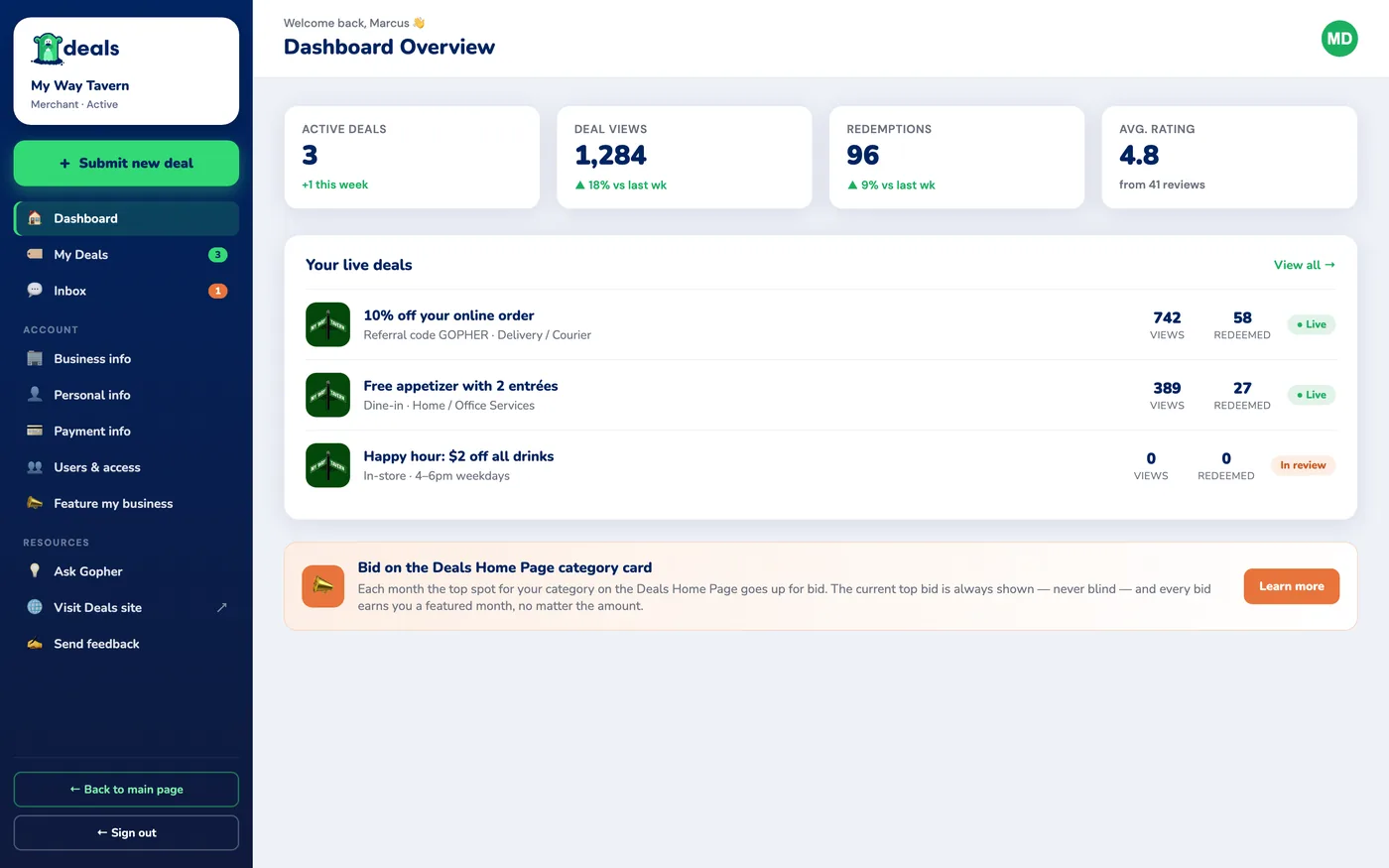
The dashboard — active deals, views, redemptions, and your rating at a glance, with every live deal listed below.
- Active deals — how many of your deals are live right now.
- Deal views — how many neighbors have seen your cards, with the week-over-week trend.
- Redemptions — how many times your deals have been used.
- Avg. rating — what customers say after redeeming.
Submit a new deal
One green button — + Submit new deal — and one form. We pre-fill everything already on file, and the phone on the right shows your card exactly as customers will see it, updating live as you type.
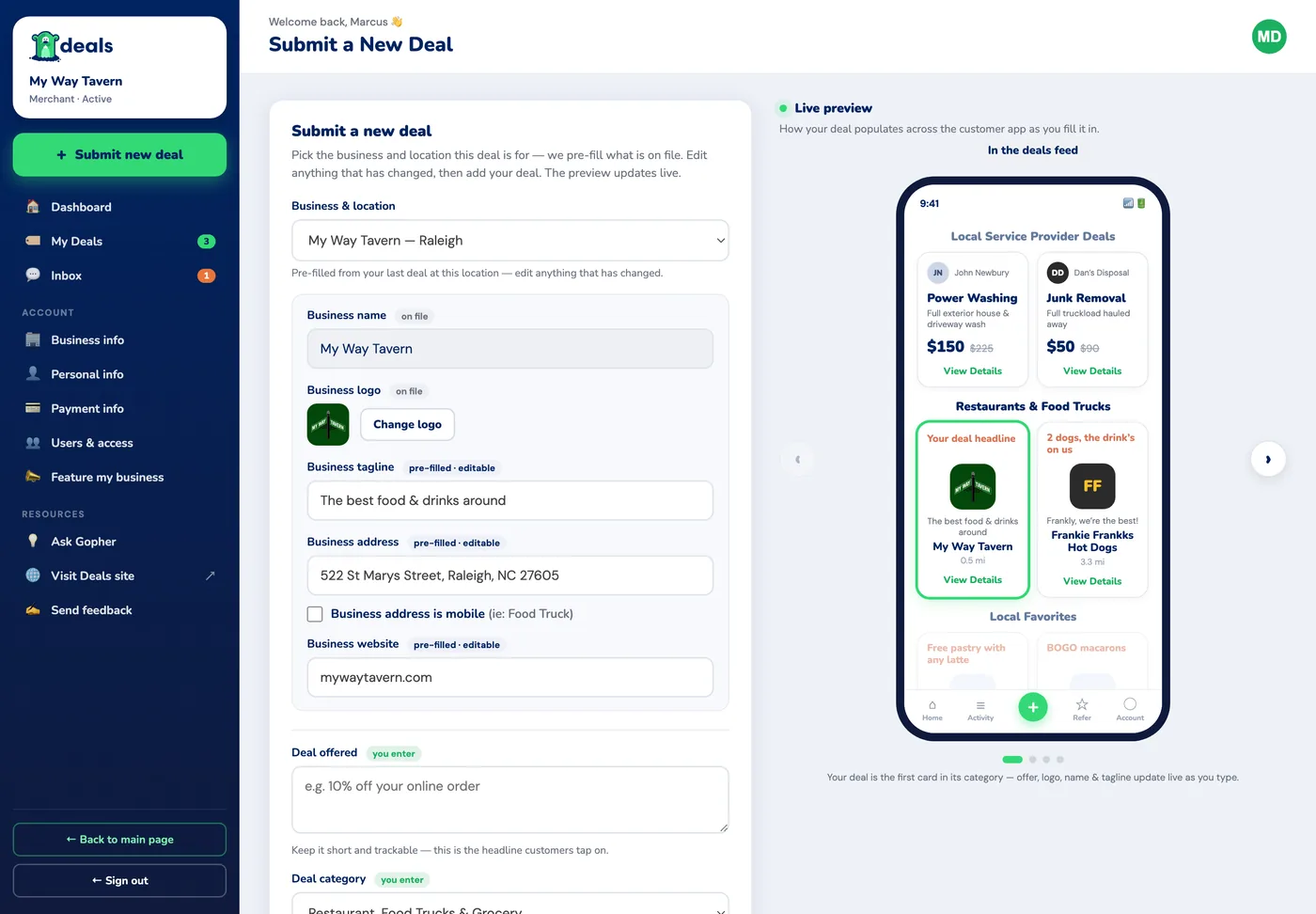
The live preview is the real deals feed — your offer, logo, name and tagline update as you type.
- Pick the business & location — we pre-fill from your last deal there; edit anything that's changed.
- Write the offer — this is the headline customers tap on. Short and trackable wins.
- Submit — every deal is reviewed before it goes live, and you'll see it under My Deals with its status (Live or In review).
Inbox — your direct line
The Inbox is one conversation with the Gopher team — no ticket numbers, no phone trees. Your welcome message lands here, and so does the note telling you your deal went live.
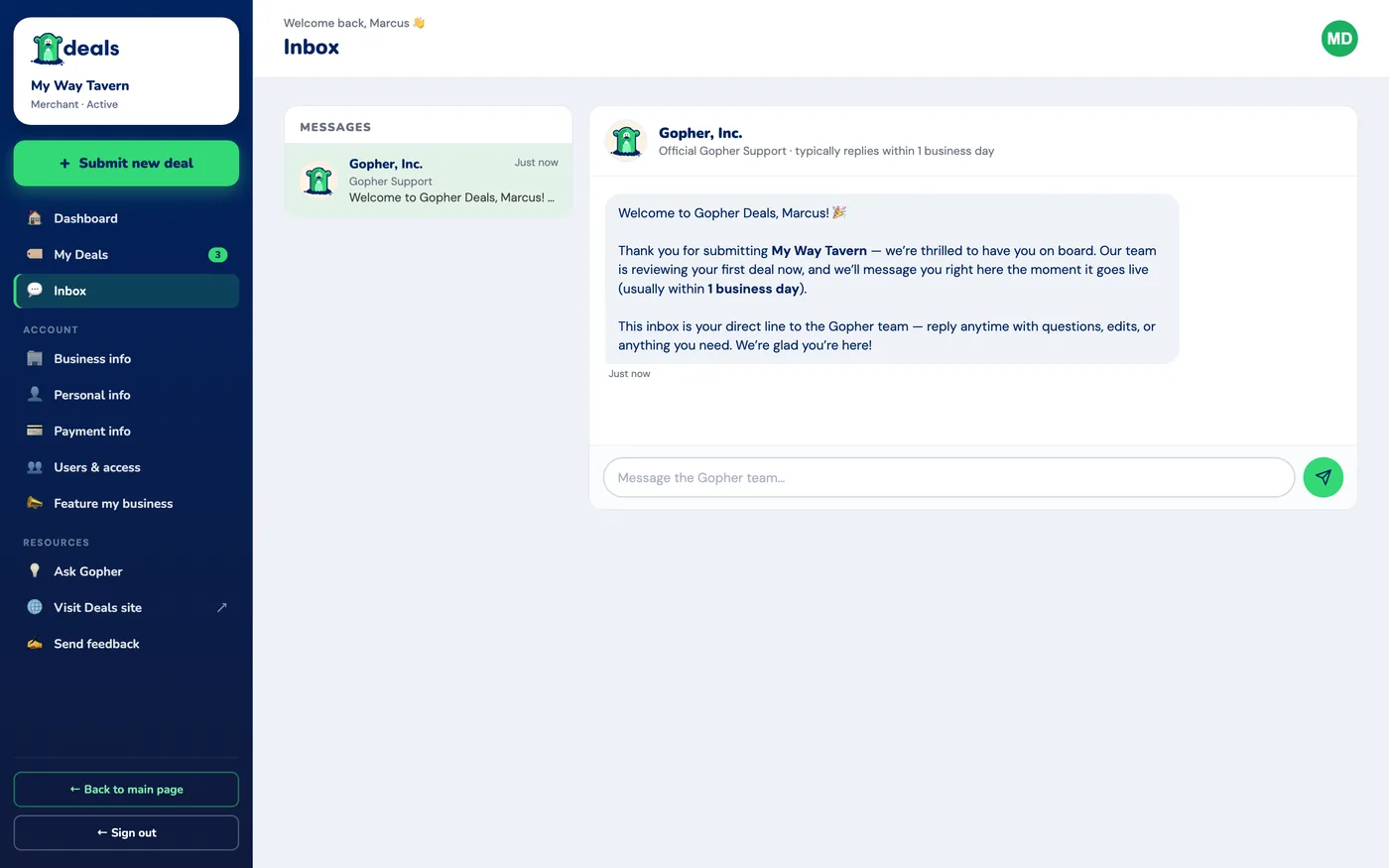
One thread with Gopher, Inc. — this is where our messages to you arrive. For anything you need from us, email deals@gophergo.io (replies within one business day).
Your account
Four short pages in the sidebar keep your details straight:
- Business info — your businesses and their locations, logos, and taglines. Run more than one spot? Add each location and deals pre-fill from the right one.
- Personal info — the account holder's profile: name, contact details, and verification status.
- Payment info — the payment methods on file for your account.
- Users & access — inviting teammates and choosing who can publish or edit deals. Coming soon.
Feature my business the spotlight
Every month, the top spot on each Deals category card goes up for bid — and the standings are completely open. You always see the current top bid; nothing is blind.
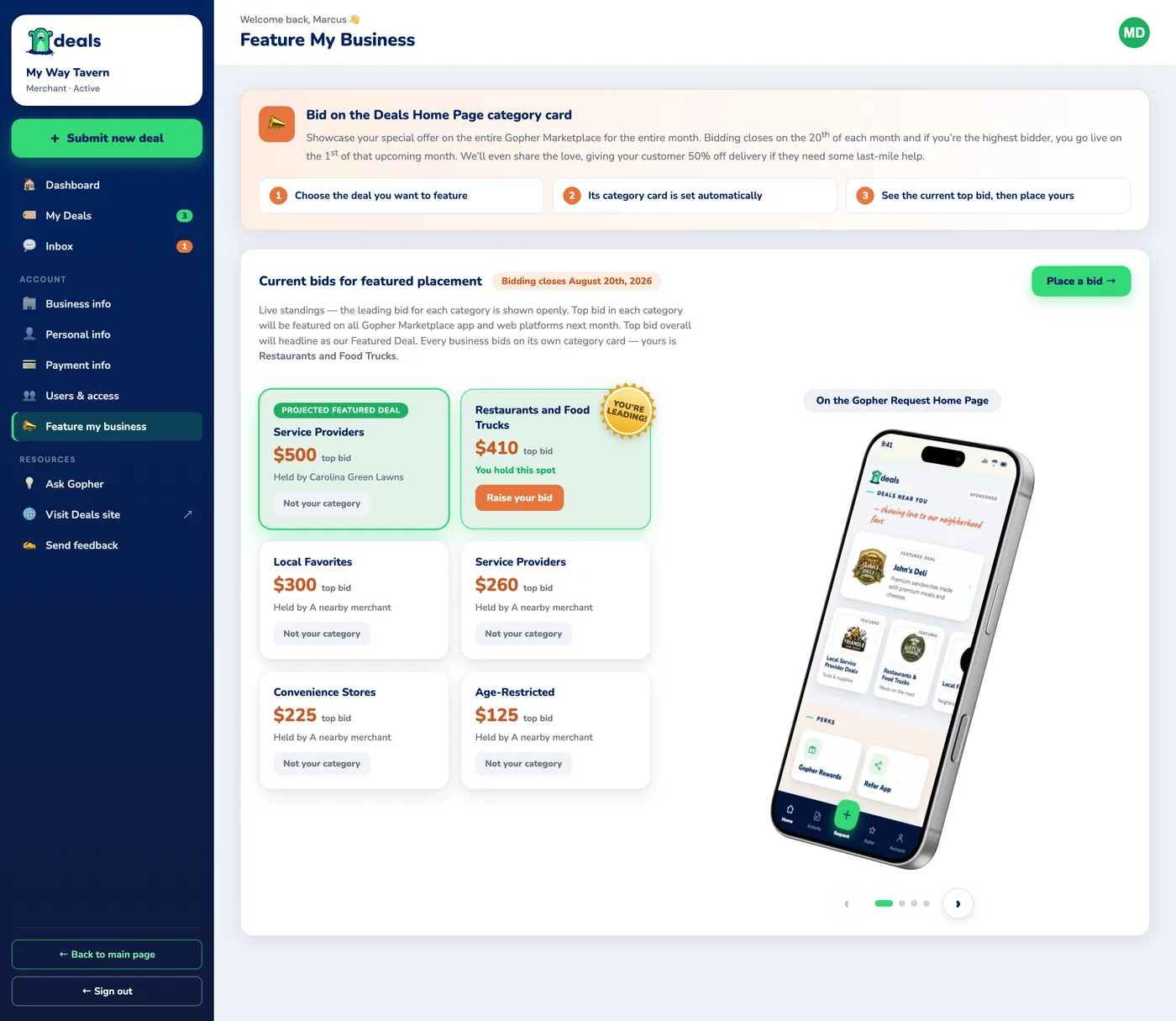
Live standings — the badge marks the projected Featured Deal, and the sticker tells you when your bid is leading your category.
- Bidding closes on the 20th of each month; winners go live on the 1st of the next month.
- You bid on your own category card — a restaurant can't bid on Retail Merchants. Yours is marked; the others show standings only.
- Top bid per category is featured across all Gopher Marketplace apps and web platforms for the month.
- Top bid overall headlines as the Featured Deal — that's the "Projected featured deal" badge moving around the board.
- Bidding is free; only winning costs — placing a bid commits you to pay if it holds, and you're charged only on the closing day. Outbid? You pay nothing.
Service providers, you're in too
Local pros — power washers, landscapers, handymen, and every service business in between — offer deals too, but the path is different from a merchant's in three ways:
- Eligibility is automatic, and there's a bar. You're in once you're a verified tier (Elite, Elite+, or Pro) with 20+ completed service jobs and a 4.75★ average over your last 20 service jobs. Delivery, Ride Sharing and Other jobs don't count toward either. Nothing to buy, no application — it switches on the moment you qualify.
- You offer your deal in the Gopher Go app, not here. The form on the Deals page is a quick eligibility check — we look you up by your Gopher ID and come back with terms. The deal itself you submit from your Go dashboard, where your details are already on file.
- Your deals appear under Local Service Provider Deals, and your category card for featured bidding is Service Providers.
Need help?
You're ready to put your deal in front of the neighborhood. For anything else:
- Email deals@gophergo.io — the fastest path to the Deals team.
- Open Ask Gopher in the portal for quick answers any time.
- Your portal Inbox is where our messages to you land — your welcome note, and word that your deal is live.
Give them a great deal — we'll do the running!